We’re pleased to announce that the new Corrective Actions module is now ready to be rolled out to our customers, and not a moment too soon! Read below to discover the new features and for a high-level overview of the roll-out process.
Why is it important to do corrective actions really well?
Unresolved non-compliances can be a ticking time bomb, not just an administrative loose end. This was made clear in the Ports of Auckland health and safety prosecution, where both the District Court and the High Court on appeal identified the failure to properly manage corrective actions as a material factor in the case against former Chief Executive, Tony Gibson.
The courts are telling us corrective actions matter - and so are the leading international standards. ISO 37301 (compliance management), ISO 45001 (occupational health and safety), and ISO 14001 (environmental management) all call out the importance of properly managing corrective actions. For organisations that take their legal obligations seriously, managing corrective actions well isn't optional - it may be what separates a compliance programme that holds up under scrutiny from one that doesn't.
What’s changing within ComplyWith’s new corrective actions?
The most significant change is that corrective actions are no longer created automatically when a non-compliance response is recorded. Previously, every non-compliance triggered a new corrective action - a one-to-one relationship that customers told us was too blunt.
A single non-compliance response might not represent a real problem at all, or several responses might point to the same underlying issue and be better handled as one corrective action, or a response might better be associated with an existing action already in train.
The new process separates recording non-compliances from deciding what should happen next with that non-compliance. When a respondent records a non-compliance, they note whether it's resolved or unresolved and offer their thoughts on what might address it. Those unresolved responses are then reviewed - ideally with a senior manager involved - and a considered decision is made about what to do next.
The options include creating a new corrective action, grouping multiple responses into a single action, adding a response to an existing action, or marking the response a ‘no further action’ where that's genuinely justified (with a recorded explanation required).
The way that corrective actions are created and tracked includes number of new features, including:
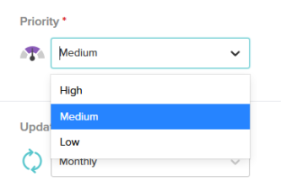
- Assigning a priority to the corrective action
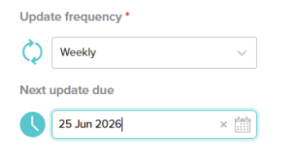
- Set the frequency the corrective actions should be updated and when updates should start
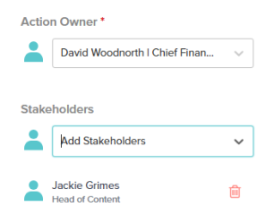
- Give the corrective action an ‘owner’ and also link ‘stakeholders’ to that action
- Tailored reminder emails enable owners of corrective actions to click straight through to their actions (when SSO is enabled) when updates are due
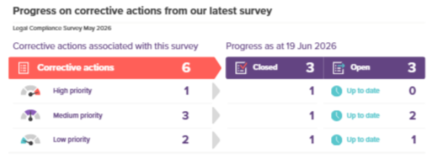
- New update reports and infographics clearly tell leadership and governance how progress is tracking with your open corrective actions
What’s the roll-out process from here
We’re updating the ComplyWith Help guidance for the new Corrective Actions and are planning a range of training and support assets. We’ll be able to share more about these at the User Group meetings shortly.
We will turn on the new Corrective Actions in your ComplyWith site when you are ready. There is a process in the ComplyWith application for reviewing existing Corrective Actions and either converting them into ‘new’ Corrective Actions, or recording them as ‘no further action’.
If you have a legal compliance survey coming up, it might be a good time to convert to the new Corrective Actions module - if this sounds like you, please do drop us a line at support@complywith.com
